

Reference

dat939 App — Your Lobby on Every Screen

dat939 loads cleanly on your mobile browser, putting live casino tables, slots and cricket sports betting within reach wherever local law and eligible regions allow.

mobile browser accessdevice compatibility checkaccount login on the goavailability by eligible regioncricket betting on mobile
dat939 dat939 App — Your Lobby on Every Screen
DEVICE CHECK LIST

Check Your Device Before You Start

Most modern phones handle the dat939 mobile layout without any adjustment. If something looks off — buttons overlapping, lobby not scrolling smoothly — run through this checklist before reaching out to support. It resolves the majority of display issues in under a minute.

Method Payout time Speed
Browser version Use an up-to-date version of Chrome or Safari. Older browser builds may not render the live casino stream from Evolution correctly or may block the betslip overlay. Fast
Screen layout The lobby is designed for portrait orientation on phones. Landscape works on tablets. If text is cut off, rotate your device back to portrait and the layout resets. Fast
Account verification Some mobile features, including quick deposit with a linked JazzCash or Easypaisa wallet, only activate after your account identity step is complete. Check your profile for any pending verification prompts. Medium
Supported devices dat939 mobile access is confirmed on standard Android and iOS phones released in the last four years. For older devices, browser access still works but live stream quality may vary. Medium
Availability by region Access to the full lobby, including sports betting on cricket and live tables, depends on local law and is available only in eligible regions. Check the site footer for current region status. Slow
APP FEATURE SNAPSHOT

Switch On These Mobile Features

These four features set the mobile experience apart from a desktop session. Each one is built into the browser interface and activates automatically on compatible devices — no separate download required to use them.

Fingerprint Login Supported Android and iOS devices can use biometric sign-in. Tap once, verify your fingerprint, and you are inside your account without typing a password each time.
Push Notifications Allow notifications in your browser settings and dat939 sends an alert when a PSL match or live event you have marked in the sportsbook is about to start.
Dark Mode Display The interface reads your device display settings. Switch your phone to dark mode and the lobby adjusts its colour scheme automatically — easier on the eyes at night.
Offline Lobby Preview Lose your connection mid-session? The last loaded lobby screen stays visible so you can see your open games and betslip while your data reconnects.
dat939 Explore the Full Lobby from Your Phone

Explore the Full Lobby from Your Phone

Open dat939 on your mobile browser and the lobby reorganises itself for your screen — slots like Crash Burst and Hyderabad Hot Slots sit at the top, live tables from Evolution are a tap away, and the sportsbook betslip works cleanly in portrait mode. Push notifications let you know when a match you have marked goes live. Quick deposit keeps your JazzCash

or Easypaisa wallet linked so you are not re-entering details every session. Fingerprint login replaces your PIN on supported Android and iOS devices, cutting the time between opening the browser and reaching your first game to a few seconds.
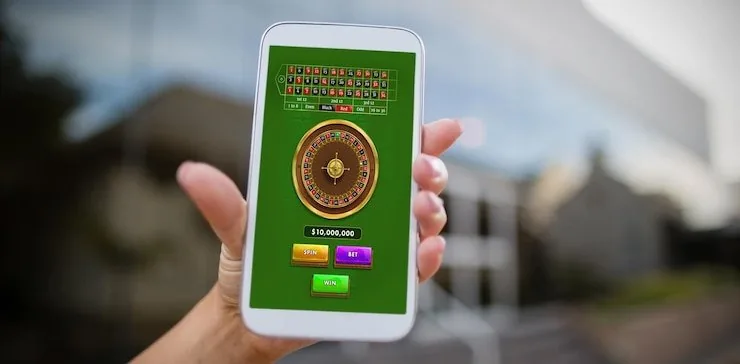
dat939 Mobile Access in 3 Steps

Mobile Access in 3 Steps

No APK file, no app-store search required. The dat939 mobile experience runs entirely through your phone's browser. Open your preferred browser — Chrome or Safari both work — and go to dat939. The site detects your screen size and loads the mobile layout. Next, check that JavaScript is enabled and that your browser is not blocking cookies from the site, since both

are needed for account sessions to stay active. Then sign in with your existing account credentials or create a new account. For biometric login, visit your account security settings and enable fingerprint access once your identity has been verified. That is the full path from a blank screen to an active session.

  • Open dat939 in your browser — Type the address directly or tap a saved bookmark. Chrome on Android and Safari on iOS both render the full mobile layout without any extra steps.
  • Check browser permissions — Make sure JavaScript is on and cookies are allowed for dat939. These two settings keep your account session running and prevent unexpected logouts.
  • Sign in or create your account — Use your account email and password, or go through the OTP flow if you are logging in from a new device. Your wallet balance and betslip carry over immediately.
  • Enable fingerprint in security settings — Once logged in, go to account settings, select security, and activate biometric login. The next time you open the site on that device, one tap signs you in.

Answers About the dat939 App

These are the questions we hear most often about mobile access on dat939. If your question is not here, reach out through the live chat option inside your account.

A dedicated native app listing is not confirmed at this time. The full dat939 mobile experience runs through your phone's browser — no download or installation needed.

Yes. Once your account is verified, the mobile deposit flow supports JazzCash and Easypaisa. Open the cashier section in your browser session and follow the wallet prompts to complete the transfer.

Fingerprint login is available on compatible Android and iOS devices. Enable it once from your account security settings and it activates on every return visit from that device.

This usually comes down to browser version or a weak data connection. Update Chrome or Safari to the current version, switch to a stable connection, and the Evolution live tables should load within a few seconds.

Yes. The sportsbook, including cricket markets covering PSL and international matches, is fully accessible through the mobile browser in regions where access is permitted under local law.

Rotate your device to portrait mode, clear your browser cache, and reload the page. If the issue continues, contact support through the live chat icon shown at the bottom of the account screen.
Reference

dat939 App

Service availability depends on eligible regions and local law. Users should check local rules before opening an account.

Access may be available only where local law permits.