Sign Into Your dat939 Account
Your dat939 login is the door to live casino tables, slots, crash games, and sports betting — including PSL and international cricket markets. Enter your registered mobile number, confirm the OTP, and your wallet balance is right there waiting.
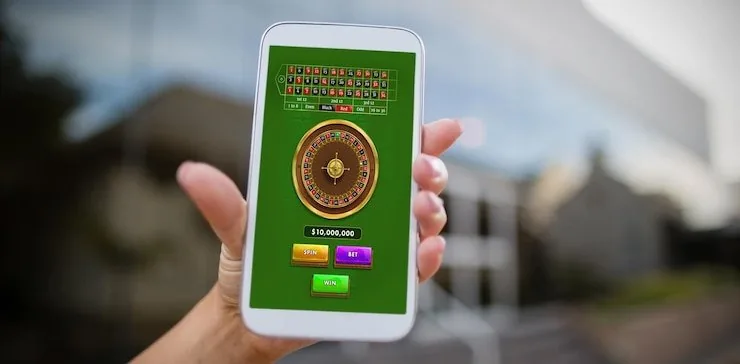
How We Keep Your Account Secure
Account security at dat939 is built around a few practical, verifiable layers. OTP authentication means only someone with your registered SIM can log in. CNIC verification ties withdrawals to a confirmed identity. Data is encrypted in transit on every session. And automatic session timeouts mean a forgotten open tab cannot become a security risk. These are standard account protections, not marketing claims.
Every login requires a one-time PIN sent to your registered number. No PIN, no access — even if someone else knows your mobile number.
CNIC check before first withdrawal links your account to a confirmed identity. This step protects both your funds and your account from unauthorised payout requests.
All data exchanged between your device and the dat939 platform travels over SSL. Login credentials, wallet details and session data are encrypted end-to-end.
Idle sessions close automatically on mobile browsers. If you step away without logging out, the account locks itself so shared devices cannot stay signed in.
Deposit After Login via Local Wallets
Once you are logged in, the cashier row shows JazzCash, Easypaisa, and Raast as your deposit paths. Open your JazzCash or Easypaisa app, send to the account number shown on the deposit screen, confirm with your mobile wallet PIN, and the balance appears in your dat939 account. Raast works the same way — it routes through your bank app directly to your wallet without card details. There is no need to re-enter payment details each session once your wallet is linked. Deposits via these local rails are available where local law and eligible regions permit.
What to Expect When You Open Your Account
The dat939 login process runs through your registered mobile number rather than a username and password. Enter your number on the login screen, and a one-time PIN lands on your phone within seconds. Confirm that PIN and the account dashboard opens directly. If you are signing in for the first time after registration, the system
will prompt a short identity check — you will upload a clear photo of your CNIC before wallet withdrawals are enabled. This verification step protects your funds and makes sure payouts reach the right account. Account security sits on SSL encryption throughout, and sessions time out automatically on idle mobile browsers. Pakistan support is reachable
via live chat once you are inside the account dashboard.
-
Mobile OTP Entry Type your registered number, receive the OTP, and confirm. No separate password to remember — your phone is your key.
-
CNIC Verification A one-time identity check before first withdrawal. Upload your CNIC photo inside account settings and the review completes before funds move.
-
Session Security SSL encryption covers every login session. Idle browser sessions close automatically so your account is not left open on a shared device.
-
In-Account Support Live chat is accessible from the account menu after login. Reach Pakistan support directly for wallet queries, login issues or account status questions.
Account
The dat939 login process runs through your registered mobile number rather than a username and password. Enter your number on the login screen, and a one-time PIN lands on your phone within seconds. Confirm that PIN and the account dashboard opens directly. If you are signing in for the first time after registration, the system will prompt a short identity check — you will upload a clear photo of your CNIC before wallet withdrawals are enabled. This verification step protects your funds and makes sure payouts reach the right account. Account security sits on SSL encryption throughout, and sessions time out automatically on idle mobile browsers. Pakistan support is reachable via live chat once you are inside the account dashboard.
Open Your AccountYour details are encrypted for secure account access.
Reach Account Help When You Need It
If your OTP does not arrive, your account is locked, or your wallet link needs updating, three contact paths are open after you reach the login screen. Live chat is the quickest route for active sessions. Email suits detailed issues like CNIC re-submission or withdrawal disputes. The help centre inside your account dashboard covers common login and wallet questions with step-by-step answers.
Common dat939 Login Questions
These are the questions we see most often about signing in, OTP delivery, account recovery and wallet access after login. Each answer covers the actual step, not a pointer to another page.
dat939 Login
Service availability depends on eligible regions and local law. Users should check local rules before opening an account.
Access may be available only where local law permits.